AntirotPress kit
Antirot app iconantirot_icon_1024.png
Antirot

Antirot Press Kit

Use social media with intention, and save what’s worth keeping.

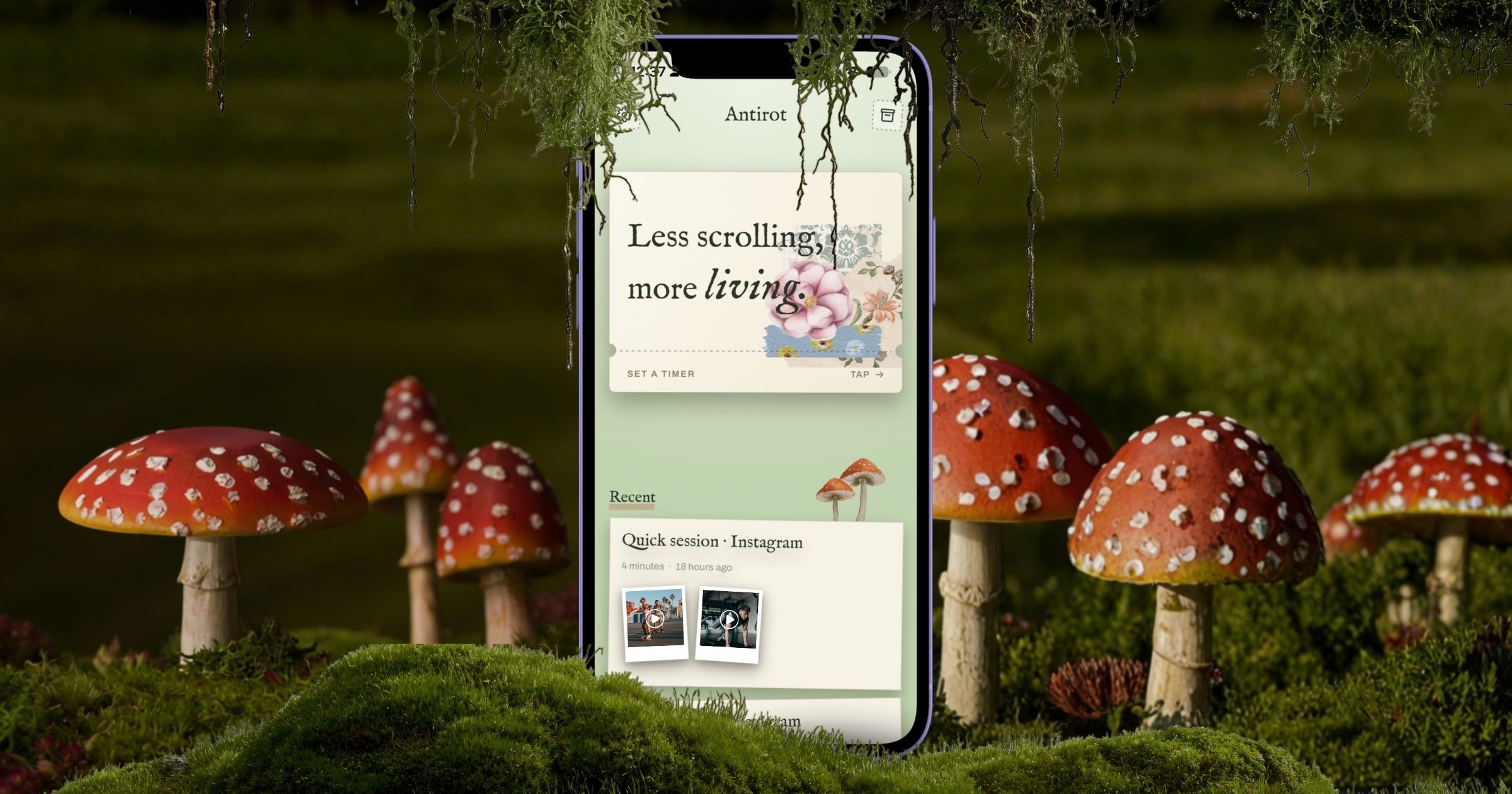
Antirot is an iPhone app that puts a question between you and your social apps. Say what you came for and how long you’ll stay, keep the links and screenshots worth saving, and the door closes again when time is up.

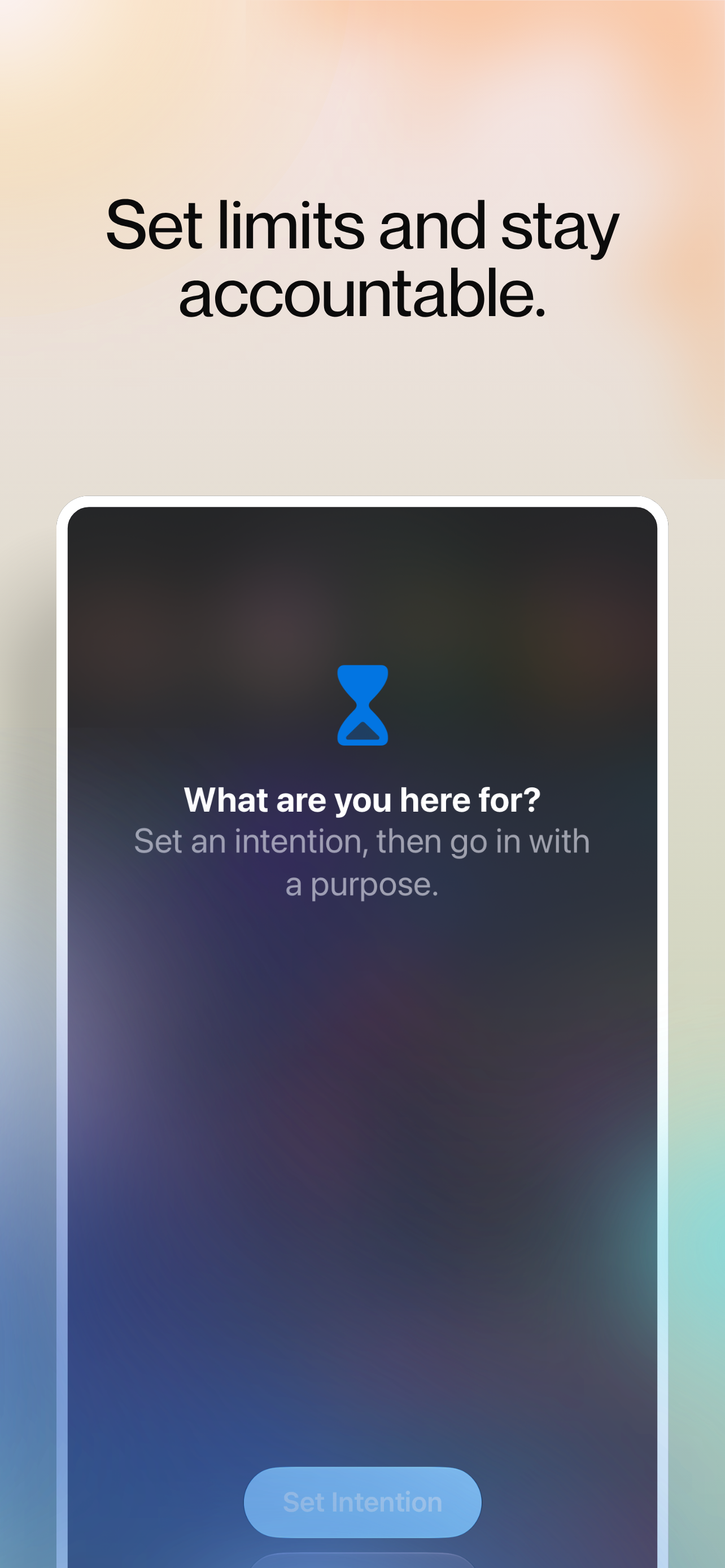
The Antirot shield covering Instagram, asking what you came for before the app opens.01_shield.png

At a glance

The facts, in one place.

App
Antirot
Tagline
Use social media with intention, and save what’s worth keeping.
Platform
iPhone, iOS 18 or later
Works with
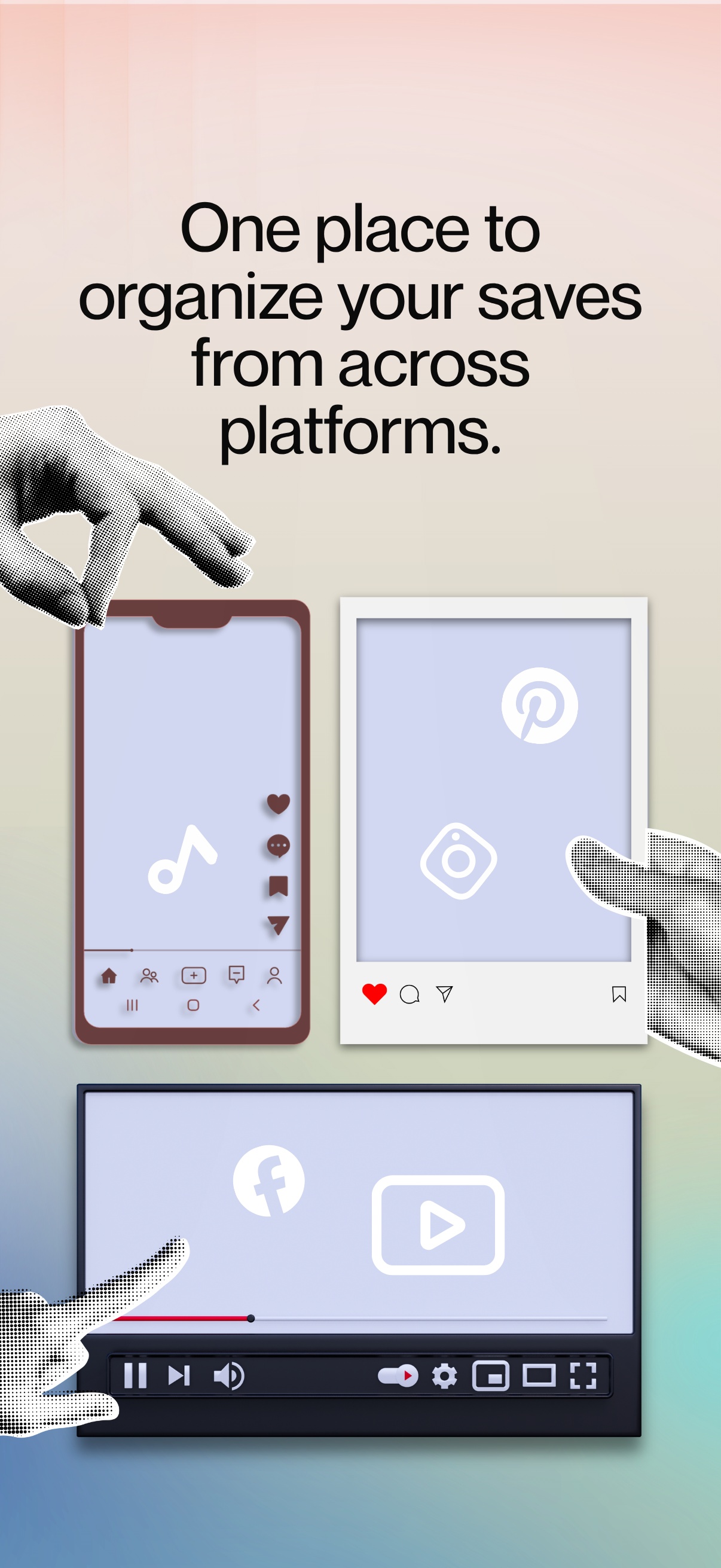
Instagram, TikTok, Pinterest, YouTube and Facebook
Price
Free trial, then $3.99 a month, or $49.99 once for Antirot Lifetime.
Availability
[Launch date] on the App Store
App Store
[App Store link]
Developer
Darby Tarlow, independent developer and roller skating creator
Website
antirotmanifesto.com
Press contact
Antirotapp@gmail.com
Privacy
No account, no Antirot servers, data stored on your iPhone

Prices are in US dollars. Local pricing varies by region.

See how it works

Here’s one session, start to finish.

  1. The shield over Instagram.01_shield.png

    1Hit the shield.

    Your chosen apps stay locked until you start a session.

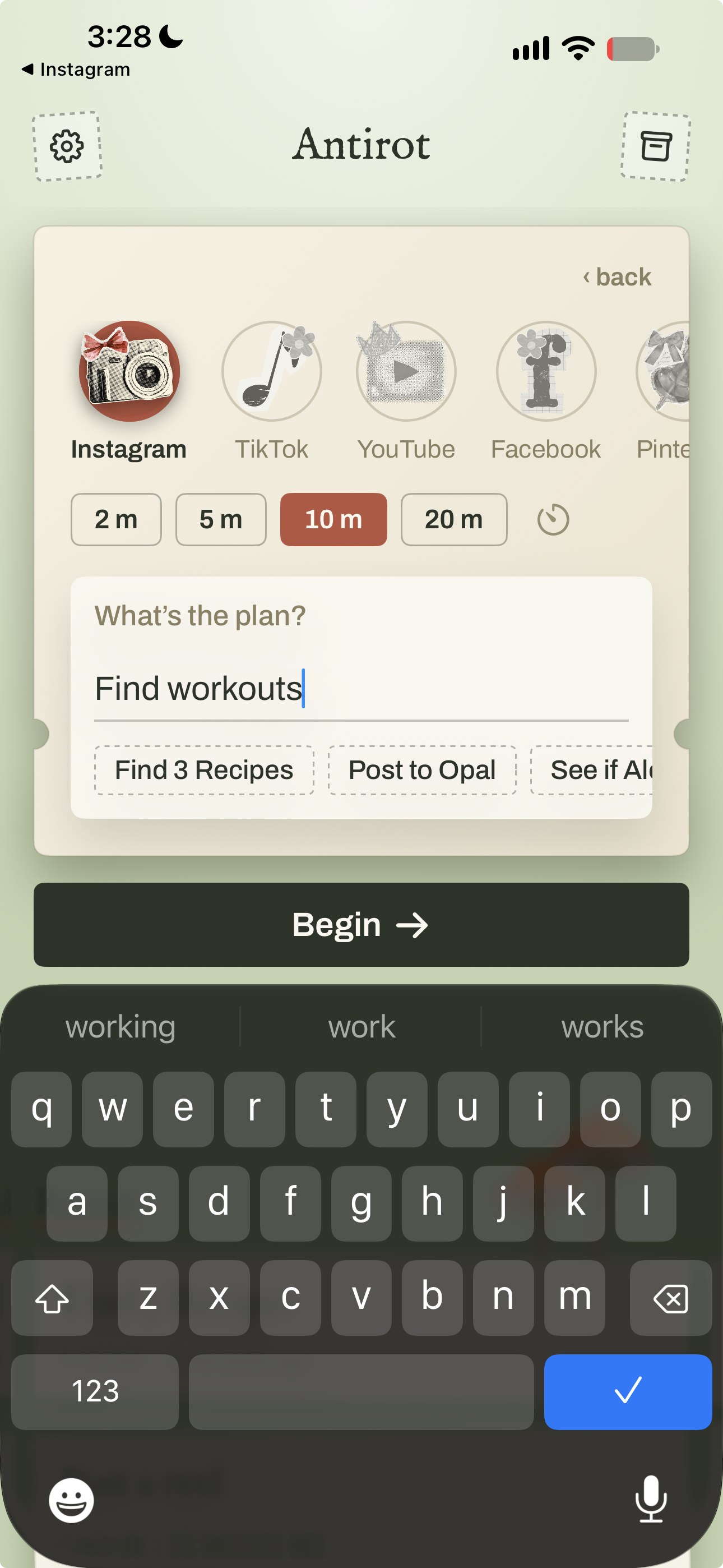
  2. The intention composer with a skating intention and 10 minutes chosen.02_intention.png

    2Say what you’re here for.

    Type an intention and choose 1, 5, 10, 20 or 40 minutes.

  3. The share sheet saving a reel to Antirot with a note and tags.04_share.png

    3Save as you go.

    Share links and screenshots to Antirot and they’re filed under the session.

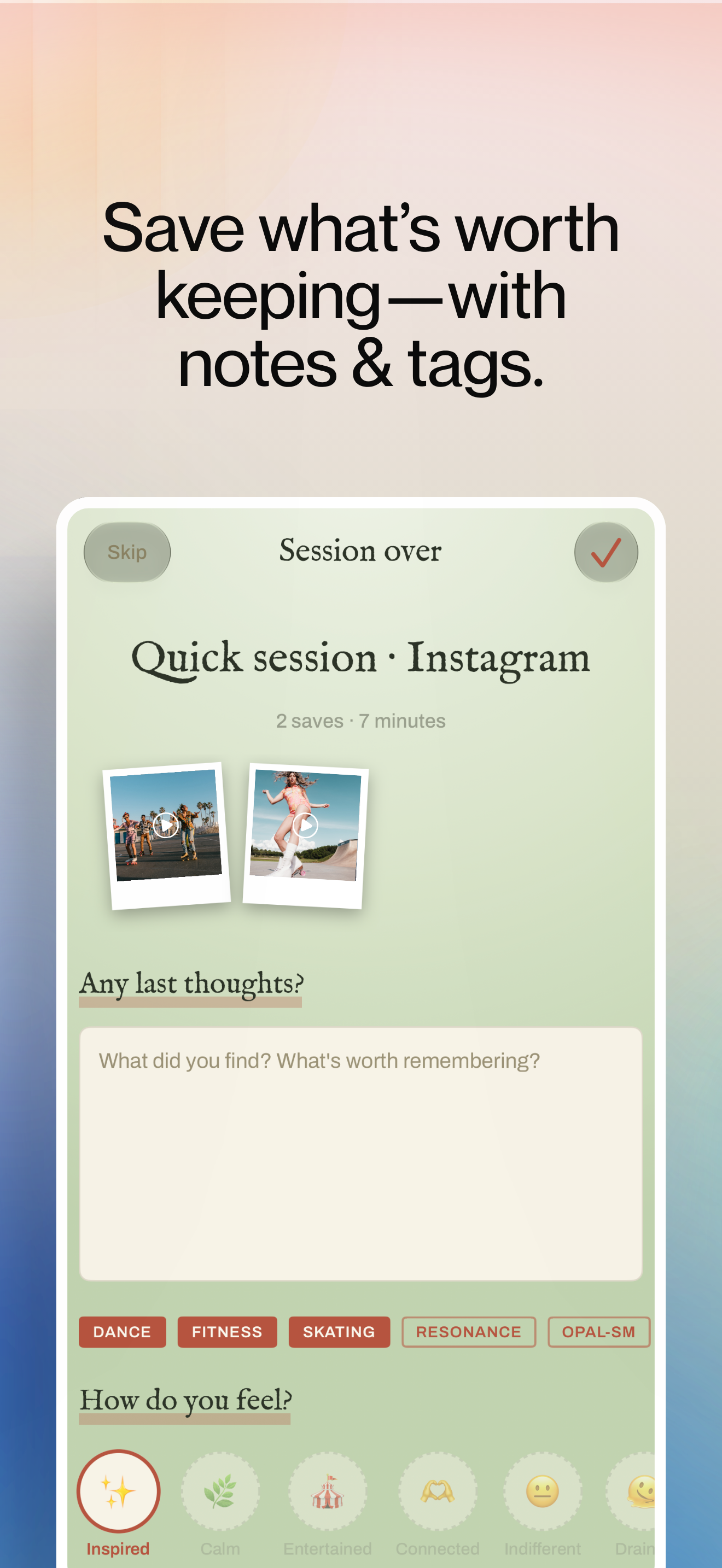
  4. The close out screen with the intention, saves and a notes field.05_close_out.png

    4Close the door.

    When time runs out, the apps lock again and your saves are waiting in the archive.

The story

Why Antirot exists.

Portrait of Darby, the developer of Antirot.darby_portrait.jpg

Why “Antirot”

The name answers brain rot, Oxford’s 2024 Word of the Year, for the dull, foggy feeling that comes after hours of trivial scrolling. Antirot keeps the useful part of social media, the tutorials, the inspiration, the people, and gives the rest a stopping point.

From the founder

I’ve been making roller skating videos for five years, mostly on Instagram. Social media is where I learned half my tricks and where my own videos find their people. It’s also where I’d open the app to look up one transition and come up forty minutes later having watched twelve videos of raccoons, with the drill I came for long gone.

Screen time limits never fit how I actually used these apps. They treated every minute the same, when what I wanted was to go in for something specific, come out with it, and keep it somewhere I could find again. So I designed and built Antirot myself over 6 months. The shield asks what I’m there for before the app opens, and the archive keeps what I found under the reason I went looking.

I hope this helps any neurospicy creative person who wants to reclaim their time and intentionality.

Darby roller skating.darby_skating.jpg
The shield asks what I’m there for before the app opens, and the archive keeps what I found under the reason I went looking.

What it does

Three parts of one session.

The intention composer with a skating intention typed in and 10 minutes selected.02_intention.png

Go in on purpose

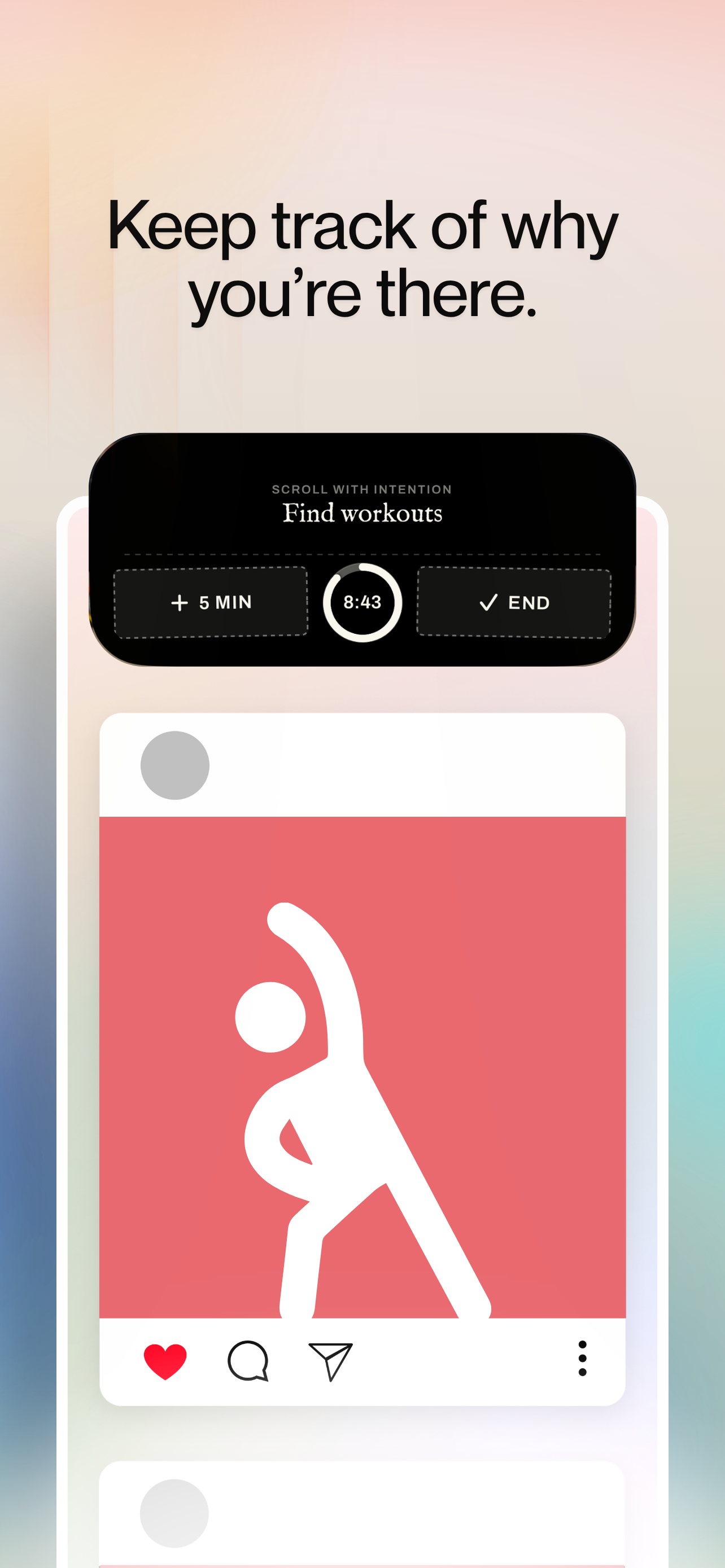
Tap Instagram out of habit and the Antirot shield is waiting. One tap takes you to a short prompt: what are you here for, and for how long? Choose 1, 5, 10, 20 or 40 minutes and the app opens, with your intention and a countdown on the Lock Screen and in the Dynamic Island. Need a little longer? Add five minutes from there, or end the session early.

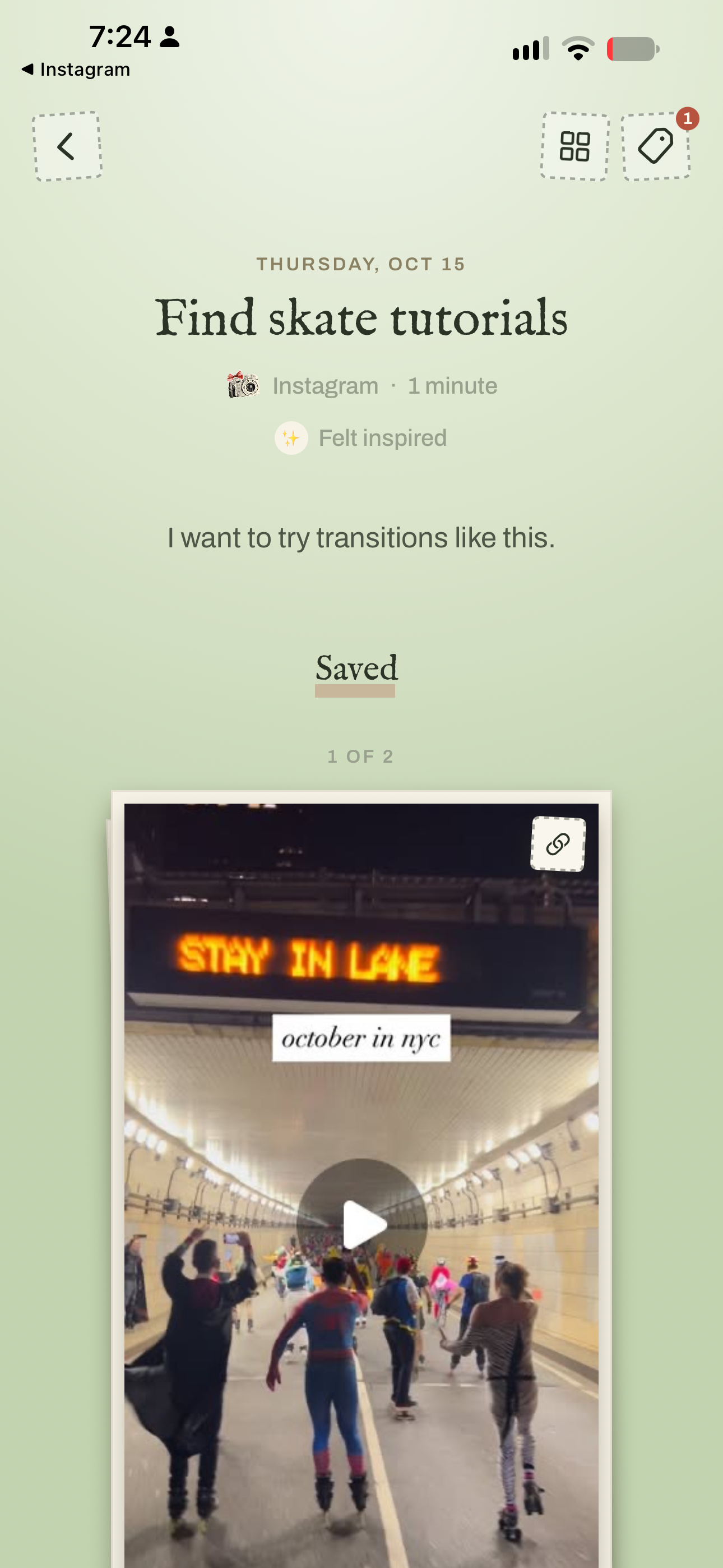
A session detail page with saved posts, thumbnails and notes.06_session.png

Keep what you find

Share any post, link or screenshot to Antirot and it lands in the session that found it, saved with the creator, the caption and a thumbnail beside your own note. Tag things as you go, and gather favorites into collections that can hold whole sessions or single saves. Anything you save outside a session goes to Quick Saves, an inbox for things worth keeping.

The close out screen with the intention, a thumbnail rail and the Any last thoughts field.05_close_out.png

Close the door gently

When time runs out, the apps lock again. Antirot shows the intention you set and everything you saved, with space for a few last thoughts. You can come back to any session later and note how it left you. All of it is optional, and the session closes whether you write anything or not.

Privacy

Your scrolling stays yours.

  • Nothing to sign up for.Antirot has no account and no Antirot server. Your sessions, notes, tags and saves are stored on your iPhone.
  • Locks without looking.Apple’s Screen Time framework gives Antirot an anonymous reference to each app you choose, enough to lock and unlock it. Antirot never sees what you do inside those apps or how long you spend in them.
  • Previews, and nothing else.When you save a link, Antirot fetches a preview from that page, or from TikTok for TikTok links, so your archive shows a thumbnail and caption. Antirot sends the link itself and adds nothing about you.
Read the full privacy policy

Pricing

Try it free, then choose monthly or lifetime.

Prices in US dollars. Local pricing varies by region.

Screenshots and downloads

Everything you need for a story.

Screenshots are clean app screens with no marketing captions, free to use in coverage.

Download everything antirot_press_kit.zip, everything below plus a plain text fact sheet. ZIP

Video, artwork and photos

Descriptions for publication

Three lengths, ready to paste.

One line

Antirot is an iPhone app that asks what you came for before it opens Instagram, TikTok, Pinterest, YouTube or Facebook, then keeps the things worth saving.

Short, about 75 words

Antirot is an iPhone app that puts a question between you and your social apps. When you open Instagram, TikTok, Pinterest, YouTube or Facebook, Antirot asks what you came for and how long you want to stay, then lets you in with a timer running. Links and screenshots worth keeping go into an archive, filed under the session that found them. When time is up, the door closes again, and everything stays on your phone.

Long, about 150 words

Antirot is an iPhone app for people who open social media with a purpose and lose it somewhere in the feed. It locks Instagram, TikTok, Pinterest, YouTube and Facebook behind a simple prompt: what are you here for, and for how long? Set an intention, choose anywhere from 1 to 40 minutes, and the app opens with a countdown on the Lock Screen and in the Dynamic Island.

A reel, a link or a screenshot worth keeping can be shared to Antirot, where it’s filed under the session that found it with its creator, caption and thumbnail. Tags and collections gather the best finds over time. When the timer ends, the apps lock again and Antirot shows what you set out to do and what you kept.

Antirot has no account and stores everything on your iPhone. It starts with a free trial, then costs $3.99 a month, or $49.99 once for Antirot Lifetime. It was designed and built by Darby Tarlow, an independent developer and roller skating creator.


Review access and contact

Writing about Antirot?

Antirot comes with a free trial on the App Store. If you’re reviewing it, email me and I’ll send a code for complimentary full access. I’m happy to do interviews by email, phone or video, and to talk about building an app alone, Apple’s Screen Time tools, or what skating content taught me about social media.

Email Darby

I usually reply within one or two days. Darby, Indochina Time.

FAQ

Questions writers ask.

Which apps does Antirot work with?

Instagram, TikTok, Pinterest, YouTube and Facebook. You choose which of them to lock.

What happens when my time runs out?

You get a notification, the apps lock again, and Antirot shows a short close out with your intention and anything you saved. Writing a note is optional, and the session closes either way.

Can I add more time?

Yes. Add five minutes from the app or straight from the Lock Screen or Dynamic Island. Each extension is a choice you make, so time never stretches on its own.

What permissions does Antirot ask for?

Screen Time access, so it can lock the apps you pick, and notifications, so it can tell you when time is up. Both are requested when you first need them.

Does Antirot see what I do inside Instagram or TikTok?

No. Apple’s Screen Time framework only lets Antirot lock and unlock the apps you choose. Your activity inside them stays private to you.

Which version of iOS do I need?

iOS 18 or later. On iOS 26.5 and later, tapping the shield opens Antirot directly. On earlier versions, Antirot sends a notification that takes you there.

Can I use Antirot without locking any apps?

Yes. You can start sessions from Antirot or its widget and turn on the shield in Settings whenever you’re ready.

How much does it cost?

Antirot starts with a free trial, then it’s $3.99 a month. If you’d rather not subscribe, Antirot Lifetime is a single purchase of $49.99 and keeps your archive with you for good.